
“Why is my fridge beeping?” “How do I set up my account?” “How do I start my lawn mower?”
How often have you searched for something similar about your phone, toaster, keyboard, or smart watch?
You find the PDF manual for your product but now you have to read through an overwhelming amount of content. If you’re lucky the content is well formatted, logical, simple and clear but usually it isn’t.
Where does that leave your user?
It leaves them with a neutral or even negative experience related to your product.
So how do you fix it?
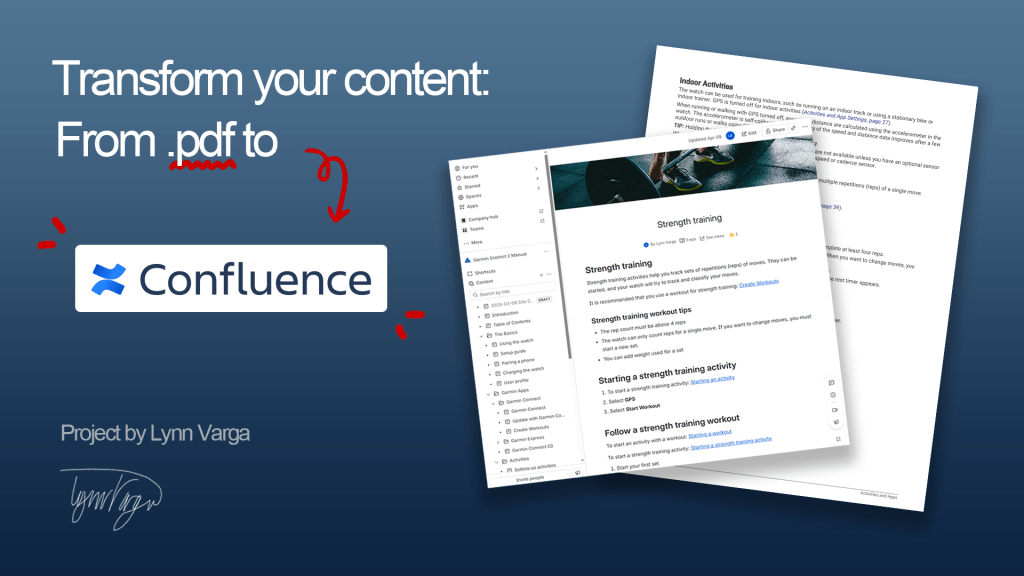
Transform your content into online help content that’s searchable, simple and easy-to-use!
Why switch?
For so many organizations creating PDF manuals is the status quo but there are better options.
Web solutions can offer:
- Searchability
- Accessibility
- Multiple points of entry
- Content scalability
Classic pdfs are:
- Expensive and slow to update
- Completely linear
- Flat and boring
- Not accessible
Project Context
Every good transformation should start in a deep understanding of the product, user, use and context. The more you know, the better you can design a successful solution.
The product: Garmin Instinct 2 Smart Watch
The users are:
- Majority male.
- Adventurers, athletes and even military members.
- Located in the US or Europe.
- May be highly technical or knowledgeable in their field but not with software or mobile phones.
User needs: They may want general setup information when they start using their product but after that it will be specific questions like “How do I do/setup/use ‘x’?” and “why isn’t ‘x’ working how I expected”?
Organization needs:
- Improve product experience and use.
- Improve positive brand awareness.
- Bridge to other products, applications and communities.
Planning the project
Before you can start your content transformation you should answer these questions:
- What are my time and resource limitations? How many people are working on this? Is there a hard or ideal budget?
- How much content is there? What are we trying to accomplish?
- How comfortable is the organization and users with change? How will change management be handled?
- Are there existing style considerations or other limitations we need to know?
Based on user and solution research we decided that Confluence is a great option because it’s easy to use, accessible and mobile-friendly. Confluence is also the best option for the organization because it already uses other Atlassian products.
‘Best option for the organization’ isn’t end-user focused but it saves a lot of change management and growing pains for the company internally.
The project plan:
- Map and reorganize content.
- Edit and improve content.
- Set up the Confluence site.
- Upload and format content in Confluence.
What this project plan doesn’t include is end-user research, solutions research, interviewing SMEs, convincing stakeholders, training and change management, and future use of Confluence.
Organizing the content
A content map is created to show the organization and relationships between content topics and sections. You can isolate any missing or redundant content using a content map. Tagging and searchability is also planned at this stage.
Editing the content
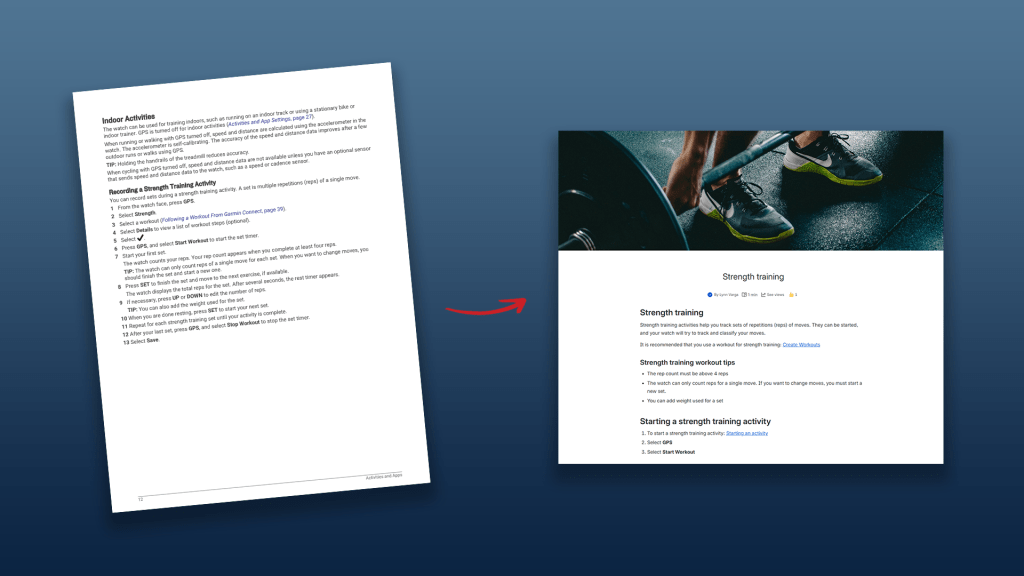

The overall goal: Make the content simple, easy to understand and user-focused.
A technical writer must edit with a careful but confident scalpel. It’s easiest if you think about what’s best for the user and disconnect yourself from the content, especially if it’s ‘your baby’. Remember that content must ultimately serve your user and purpose.
Edit for structure:
- Does the order of content make sense?
- How should topics be structured and organized?
Edit for style:
- Improve readability.
- Look for common voice and phrasing mistakes.
Copyediting:
- Check for accuracy (verify steps match navigation path, UI names, etc.).
- Check for formatting and consistency.
- Check for typos.
Proofread:
- Check for spelling and grammar errors.
If we spot errors later they can be fixed quickly and easily in Confluence. Users will always have the most accurate content without expensive and time-consuming workflows internally.
Setting up in Confluence
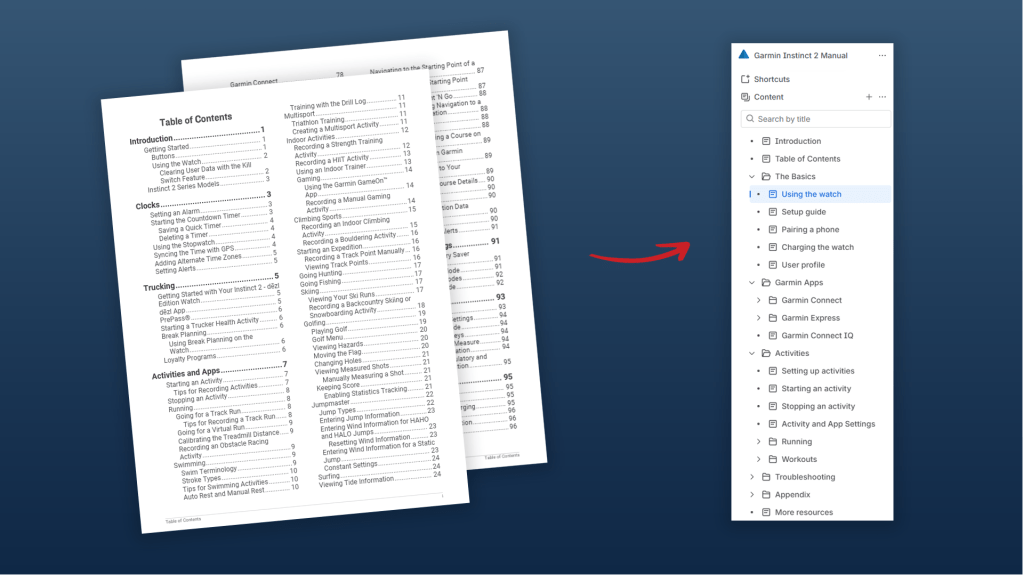

Using Confluence is relatively easy but site admin could be it’s own article.
Example Confluence setup TO DO list:
- Set up global settings.
- Set up site settings.
- Set up pages & navigation.
- Import and add content!
The future of the documentation
The goal is to transform the whole documentation mindset from print to web. We can continuously improve, edit and update the content available to users after it’s published. Improving the content by editing and importing it into Confluence is not the end of the journey.
What is the future of the documentation?
- We can make any changes to documentation based on new updates to the Garmin Instinct 2 UI or other new information.
- We can collect data about what our users are commonly searching and make data-driven improvements to our documentation and even the product.
- We can improve user interactions by integrating forums, support and direct them to other products and platforms.
- We can scale! We can develop and integrate more multimedia and better interactive help content.
TLDR; PDFs are the old way of creating manuals. Depending on your user, needs and context UI solutions can improve documentation. Transforming content must be organized and methodical. Map content to make structural changes. Edit for structure, style, format and errors. Make content better! Set up Confluence. Create content in Confluence. Improve documentation and workflows into the future!
This was an excellent project to work on. It acts as a great example of what I push for in organizations. If you’re interested in how your content can be transformed or this and other projects I’m working on — Lets chat!
Please note: This is a project I worked on in 2025 and was not paid for or in relation to Garmin or Confluence. It was purely for learning and improvement of my technical writing skills. It also acts as an example of similar projects I worked on!
 Lynn K. Varga